
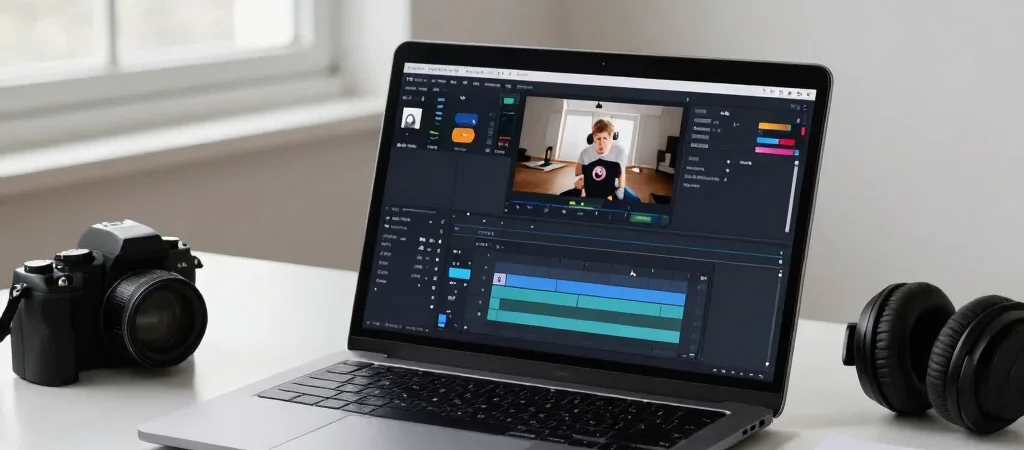
A creator planning a first sponsorship pitch needs different tools from one trying to make a backlog of videos easier to edit. That sounds obvious, but software pages often bundle analytics, editing, and monetization language together. A more useful comparison starts with the specific job you need done.
Separate the jobs first
For production, compare editing tools on the work you actually do: trimming long recordings, adding captions, or adapting a video for multiple formats. For channel decisions, look for analytics that answer a concrete question, such as which topics keep viewers watching. A tool that adds features you will not use may add cost without solving the bottleneck.
Monetization tools have a different role. Some help creators organize sponsorship outreach or manage links; they do not replace a channel’s own audience-building work or determine whether it meets YouTube’s current monetization requirements. Check YouTube’s official guidance for eligibility and policy details, since those can change.
Compare the full price
At a glance, record the plan price, billing interval, trial conditions, and which features are limited to higher tiers. Then check for practical constraints: export limits, storage caps, seats, or integrations that matter to your workflow. If the vendor does not make a cost or limit clear, treat that as an unanswered comparison point rather than guessing.
A free plan can be a sensible way to learn whether a workflow fits, but it is not automatically the cheapest long-term choice if its limits interrupt regular publishing. Estimate your likely use before committing to annual billing, and confirm cancellation and renewal terms directly with the provider.
Match the tool to your stage
A new channel may get more value from a reliable editing routine than from a paid dashboard with advanced reporting. A creator publishing consistently might instead benefit from analytics or sponsor-management features that reduce repeated admin. Choose the smallest toolset that addresses a current need, then revisit it when the work changes.
MonetizedGet may earn a commission when you buy through some affiliate links; that does not change the need to compare the provider’s current features, pricing, and terms. Before subscribing, write down the one task the tool should make easier and the monthly cost you are willing to accept.

- 【Precision Cutting Performance & Technical Specifications】: Achieve efficient and precise cutting results with our digit…
- 【Advanced Temperature Control System & Digital Display】: Experience unparalleled temperature management with our unique …
- 【Premium Heating Components & Durable Construction】: Equipped with six high-temperature resistant nickel-chromium blades…
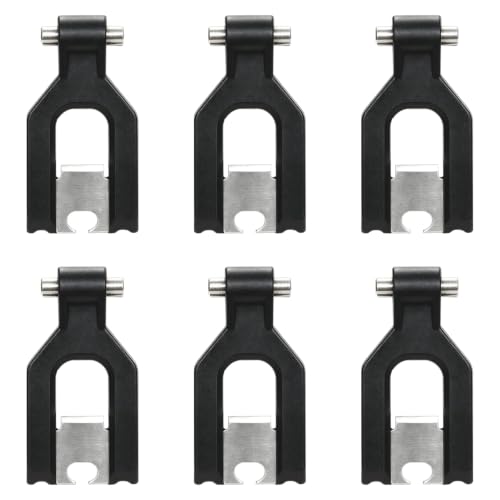
- Compatible 3D Printers: The 6pcs extruder cutter blades kit is compatible with FLASHFORGE Creator 5/Creator 5 Pro 3d pri…
- Stable and Durable: The Creator 5 extruder cutter blades tool is made of heat-resistant metal material that is resistant…
- High Quality 3D Printer Accessories: The Creator 5 metal extruder cutter blades replacement of 3D printer can significan…